 Blog details

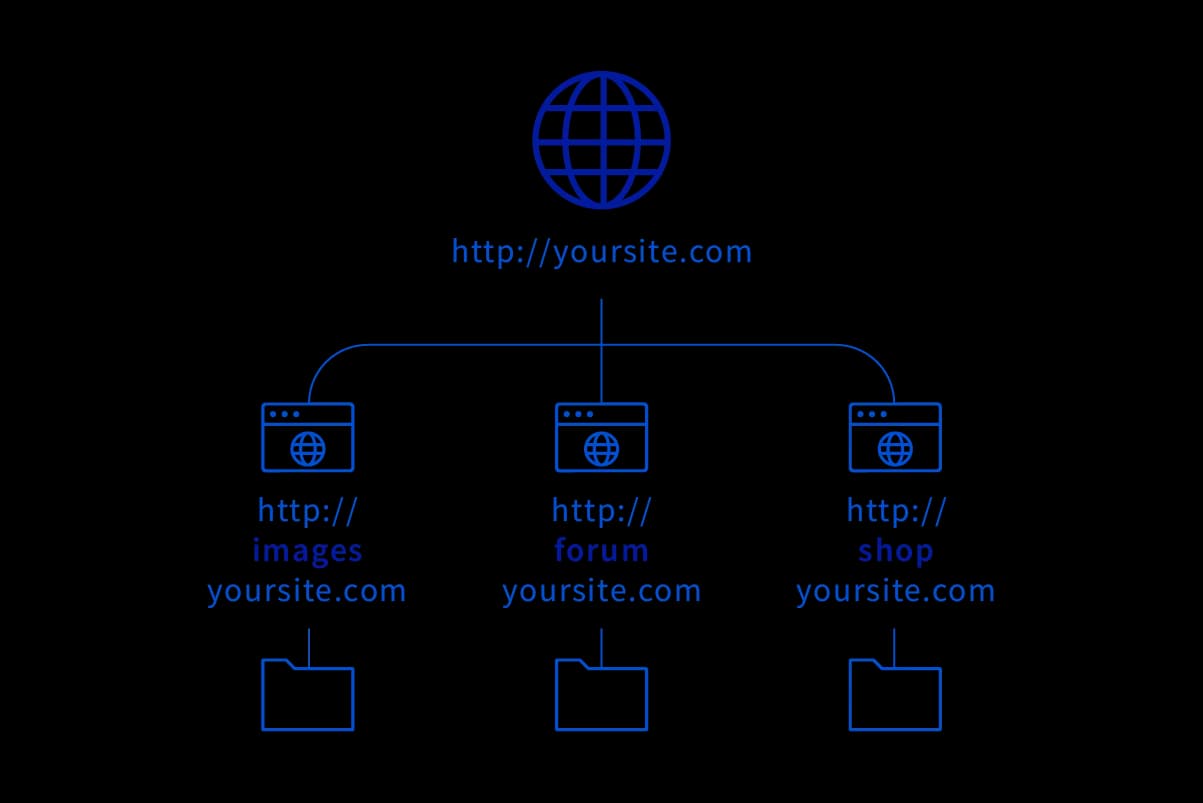
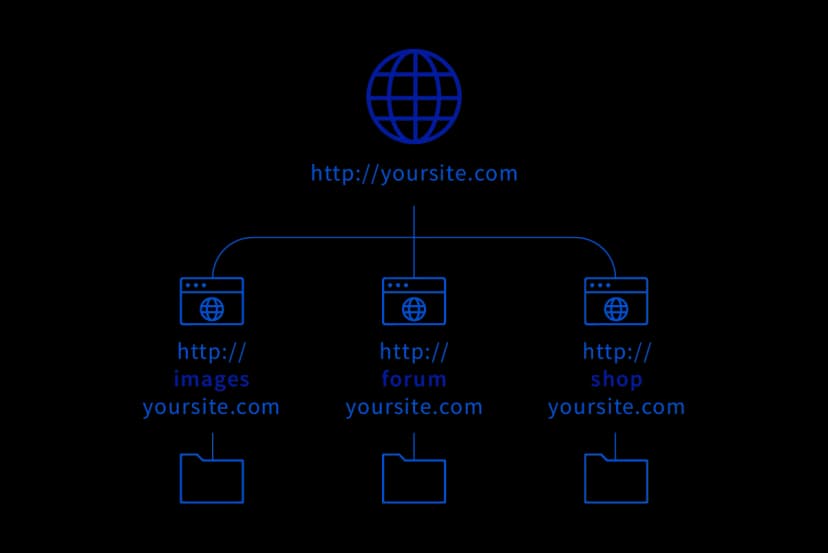
Search engines treat subdomains as extensions of a domain, and a subdomain only works as part of its parent domain. In other words, you can't create a subdomain without first having a domain to attach it to.
Personal and corporate brands typically use subdomains when they want to build a site that serves a purpose separate from their main website. For example, an e-commerce site that wants to publish an informative blog about the products it sells will use a subdomain — placing a "blog." prefix in front of its main domain (as in blog.company.com).
As mentioned, if you want to set up another website tied to your existing one, a subdomain is a must. There are several ways to create one, and tools like cPanel, Plesk and DirectAdmin can help you do it.
Depending on the capacity of the plan you buy from your hosting provider, you can create a certain number of free subdomains. That's why, when purchasing a hosting package, it's important to check its contents, see how many subdomains it supports, and consider whether that covers the number you'll need.
You can create a subdomain in cPanel by following the steps below.
Keep in mind that a subdomain can take anywhere from 2 to 24 hours to propagate to global servers after it is created.
The whole point of a subdomain is to spare you the trouble of registering a brand-new domain. Hosting companies' domain plans also include a set number of free subdomains depending on the package, which saves businesses from extra expense.
Subdomains are also preferred because they're easier to create than domains. On top of that, they're used to target specific audiences or countries and regions.
Because their software is separate, subdomains aren't affected by software problems or attacks that hit the main domain. It's also possible to assign different IP addresses to subdomains.
Reasons like these make subdomains an attractive choice. Alongside their many upsides, though, using a subdomain does come with a few drawbacks.
The biggest drawback of using a subdomain is that it carries traffic separate from the main domain. Because search engines present the domain and subdomain as two different sites, they end up with different traffic — which can pull down the main site's numbers. Subdomains also carry a higher risk of directing users to a different address, and they send weaker signals to search engines. Even so, on the whole, as long as you accept the risk of some traffic loss on the main site, a subdomain's advantages far outweigh its disadvantages.
A subfolder is the folder that comes after the domain address. On a website, the words that follow the slash in the ".com/" portion represent the subfolder, which can also be thought of as an extension of the domain (for example, https://yoodigital.co/tr/blog/).
The difference from a subdomain is this: a subdomain creates a sub-site belonging to the same website, while a subfolder refers to the different pages you can navigate to within the same site. Just as in many parts of search engine optimization, exactly how much the subdomain and subfolder approaches affect a website's SEO visibility involves some gray areas.
Based on our own experience, as well as the various cases we've studied in the SEO world, we can say that when it comes to organic visibility a subfolder is a step ahead of a subdomain. Of course, that shouldn't be taken to mean that using a subdomain is entirely pointless or unnecessary.
If you want to open a page for a topic or field very different from the main site's purpose, using a subdomain makes more sense. Cramming content from unrelated areas onto the same page would disrupt its layout, and because it strays from the main page's topic — while the domain's core subject stays more prominent in search — the other area's traffic can stay low and the flow you want may never materialize.
For example, on a WordPress-based structure turned into an e-commerce site with the WooCommerce plugin, we often see the pages built to answer users' information- and experience-focused searches grouped under a "blog.domain.com" subdomain.
If the page you want to open will only cover different topics within the same field, it's better to use a subfolder. That way you preserve topical consistency and your website's SEO isn't harmed. Both types of extension are tied to the main domain and can be created in unlimited numbers — but when creating a subdomain or a subfolder, you need to consider what it will be used for and which of the two better fits that purpose.